Knotwork Sound Holes
Two generators that produce cut-ready SVG rosettes for an instrument sound hole, millimetre-true at 1 user unit = 1mm. Both emit a validation report on every run, and that report — not the picture — is the point of the tools.
They differ in one thing, and it is not cosmetic: whether the ribbon is one strand or two. An alternating over/under interlace has to close up when you return to your start, and that constraint decides which curve you need.
| Two ribbons | One strand | |
|---|---|---|
| Look | plait, braided | one continuous self-crossing strand |
| Sized by | N lobes → 2N crossings |
LEADS × BIGHTS |
| Named forms | 6, 8, 10, 12 crossings | trefoil, cinquefoil, septafoil, and any coprime pair |
| Generator | plait_soundhole.js |
knot_soundhole.js |
| Open area at radius 30mm | 52.4% at the default N = 5 |
63.3% at 2 × 3, 48.2% at 3 × 5 |
| Rim anchors | 2N |
BIGHTS |
Why there are two: leads, bights, and one rule
Both are described the same way: L leads by B bights, where the strand travels round L times and shows B scallops at the rim. Everything follows from one fact — gcd(L, B) is the number of separate closed pieces you end up with.
| leads | bights | gcd |
strands | it is a… | |
|---|---|---|---|---|---|
| plait | 2 | 2N, even |
2 | 2 | link |
| one strand | any L |
any B coprime to L |
1 | 1 | knot |
A knot is a single closed curve. Two woven ribbons are two curves, so the plait has never been a knot in the strict sense, whatever the decorative tradition calls it — and the coprime one is the design that earns the word.
That is why neither can produce the other's shapes. In the plait each strand meets every crossing once, so its crossing count is even by construction; a self-crossing strand visits each crossing twice, which is why a 3-crossing trefoil is a valid alternating knot. Ask the coprime generator for a non-coprime pair and it refuses, listing the bight counts that would work.
This reading is the mathematics set against the writeups' own descriptions, not something measured out of the emitted geometry. The gcd argument is the load-bearing part, and each writeup derives it independently.
Which one do I want?
- "A woven rosette, braided look, 12 crossings" → the plait.
- "A trefoil sound hole", or one continuous ribbon you can trace with a finger → the coprime generator at
LEADS=2 BIGHTS=3. - "A 3-lead 5-bight knot", or anything named in leads and bights → the coprime generator.
- "N crossings" where you named the number → an even count is the plait; an odd one is the coprime generator at 2 leads.
Get the files
- Every design as a ZIP — both generators, both writeups, every cut file.
- Repository — the code, if you want to change a parameter or read how it works.
- Or click any picture above to download that one cut file.
Released under CC0 1.0 — do what you like with them, no attribution needed. Built for LaserMadeMusic.
The rest of the build files — every instrument, generator and tool, indexed.
Before you cut
These are cut-outs: the removed material is the open area and the ribbon is what stays. A ribbon ring floating inside a round hole would drop out when the last cut closes, so the ribbon peaks deliberately overrun the rim and fuse the rosette into the soundboard. There is no continuous rim circle in the cut layer — the outer boundary is a series of arcs between anchors. That is correct. Do not "fix" it by adding a full circle, or the rosette falls on the floor.
Both designs are very open — 37% to 63% of the disc removed, measured across the thirteen shipped samples, and 48% (the knot at its 3 × 5 default) and 52% (the plait at N = 5) if you run either generator without arguments. More leads means less open area, so the sparser end of that range is where the knots get busy, not where they get tame. Three anchors are enough to fix a trefoil's plane, but that is a kinematic statement, not a stiffness one. These are cut in 3mm Baltic birch plywood — its void-free core matters here, because a void landing in a 2mm-wide ribbon is a break waiting to happen. Compare the narrowest-cut figures against your kerf before choosing a design.
One layer is not a cut. Give the blue #0000ff engrave lines a score or engrave operation rather than a cut — they run across the ribbon at every crossing, so cutting them takes the rosette apart. Only the black #000000 cut layer is meant to go through the material. Each writeup has the full table.
Those two colours are the same everywhere in these repositories: blue engraves and never cuts, and black is always the last cut. A design with more stages fills in green → orange → cyan before it; these rosettes need only the one.
In the other repositories that last cut is the one that frees the part. Here it is not, and must not be. Black removes the waste; the rosette stays attached to the soundboard at its rim anchors, which is the whole reason there is no continuous rim circle. If yours drops out, the cut was wrong.
Every sample, at a glance
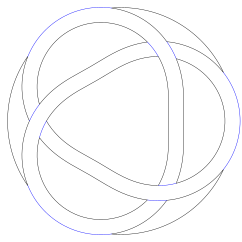
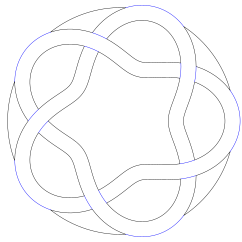
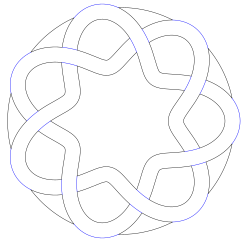
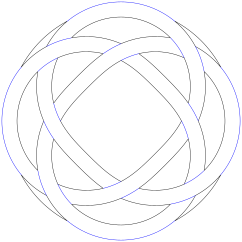
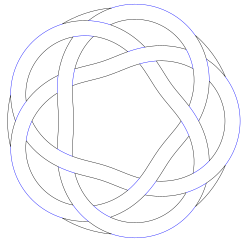
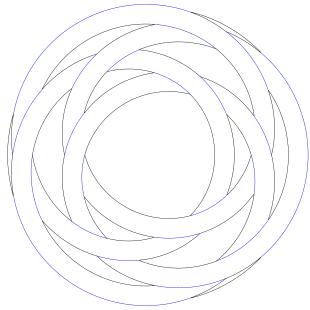
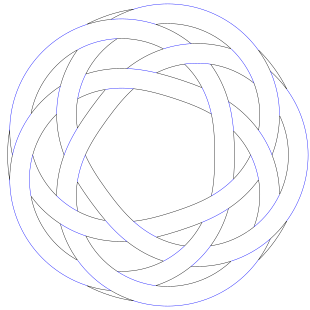
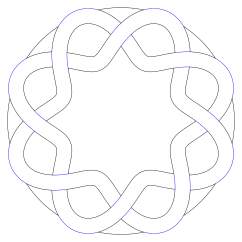
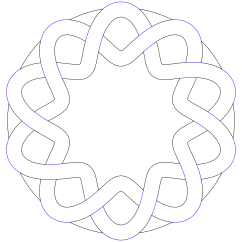
Click any of these to download the cut file. The pictures are display renderings — deep gold is the rosette, pale gold the board it fuses into, white is what drops out. The ribbon crosses between the two golds without a break, because the rosette is not a separate ring sitting in a hole: it is board material, continuous with the board around it, which is what keeps it from falling through. The cut files themselves carry no fill, so a browser shows them as thin lines on a transparency checkerboard.
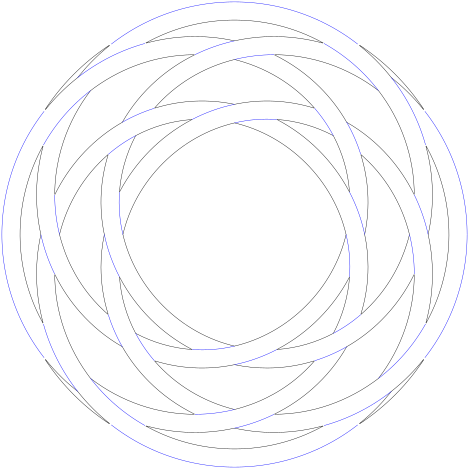
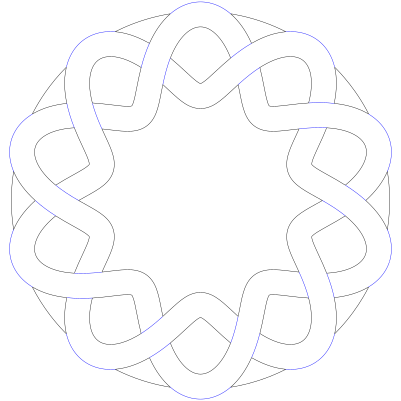
Every sample is a 30mm radius — a 60mm hole — unless its label says otherwise. Five do: 4 × 3 and 4 × 5 at 39mm, 5 × 4 at 60mm, 9 × 11 at 300mm, and the plait at 50mm last. The pictures are all scaled to the same width here, so a 300mm rosette and a 30mm one look the same size on the page; only the label tells you which is which.
 |
 |
 |
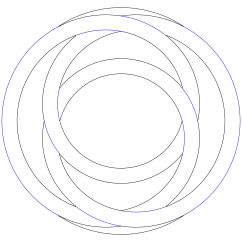 |
| 2 × 3 · trefoil | 2 × 5 · cinquefoil | 2 × 7 · septafoil | 3 × 2 |
 |
 |
 |
 |
| 3 × 4 | 3 × 5 | 4 × 3 · 39mm | 4 × 5 · 39mm |
 |
 |
 |
 |
| 5 × 4 · 60mm | 9 × 11 · 300mm | plait · 8 crossings | plait · 10 crossings |
 |
|||
| plait · 10 crossings · 50mm |
Four worth a note
Most of the samples above need no explanation: pick the crossing count you like. Four carry a caveat.
3-lead_2-bightis held on two rim anchors, the fewest these designs can have. It removes half the disc and holds the result on two 4mm tabs.4-lead_3-bight_radius39mmand4-lead_5-bight_radius39mmare the two four-lead samples, both at 39mm on the sameAMP=9.75 HW=2.6. A bigger panel alone does not fix their narrow cuts — the ribbon has to scale with it, and the writeup shows the numbers.5-lead_4-bight_radius60mmis a 120mm hole. ScalingAMPandHWin step withR_HOLE, five leads stop resolving below about 44mm — the rim gaps weld shut and the region count drops from 21 to 17 — but the size shipped is chosen for the cut, not for that floor: the narrowest cut is 0.55mm at 44mm and 1.29mm at 60mm. HoldAMPandHWat the shipped15and2.4while shrinking the panel and you get neither number: 21 regions and a 1.29mm cut all the way down to 35mm, and no geometry at all below 34.3mm, where the centre opening falls under the 1mm the generator insists on.9-lead_11-bight_radius300mmis a 600mm hole and not a sound hole at all — read it as a decorative panel. It satisfies every invariant, but only at that scale and only away from the defaults; the writeup explains why.
Every sample is cut-ready geometry, but the layers still need the treatment described above: the blue engrave lines must be given a non-cutting operation before you send the file. Requires Node, and neither generator writes anything unless you set OUT.